
5 Ways to Customize Your AI Receptionist's Script to Maximize Bookings
Maximize your bookings with these 5 expert tips on how to customize your AI receptionist's script. Learn how to improve lead qualification, handle objections, and automate appointment booking.
 Zenplus Team
January 25, 2025
Script OptimizationAI CustomizationBooking Strategy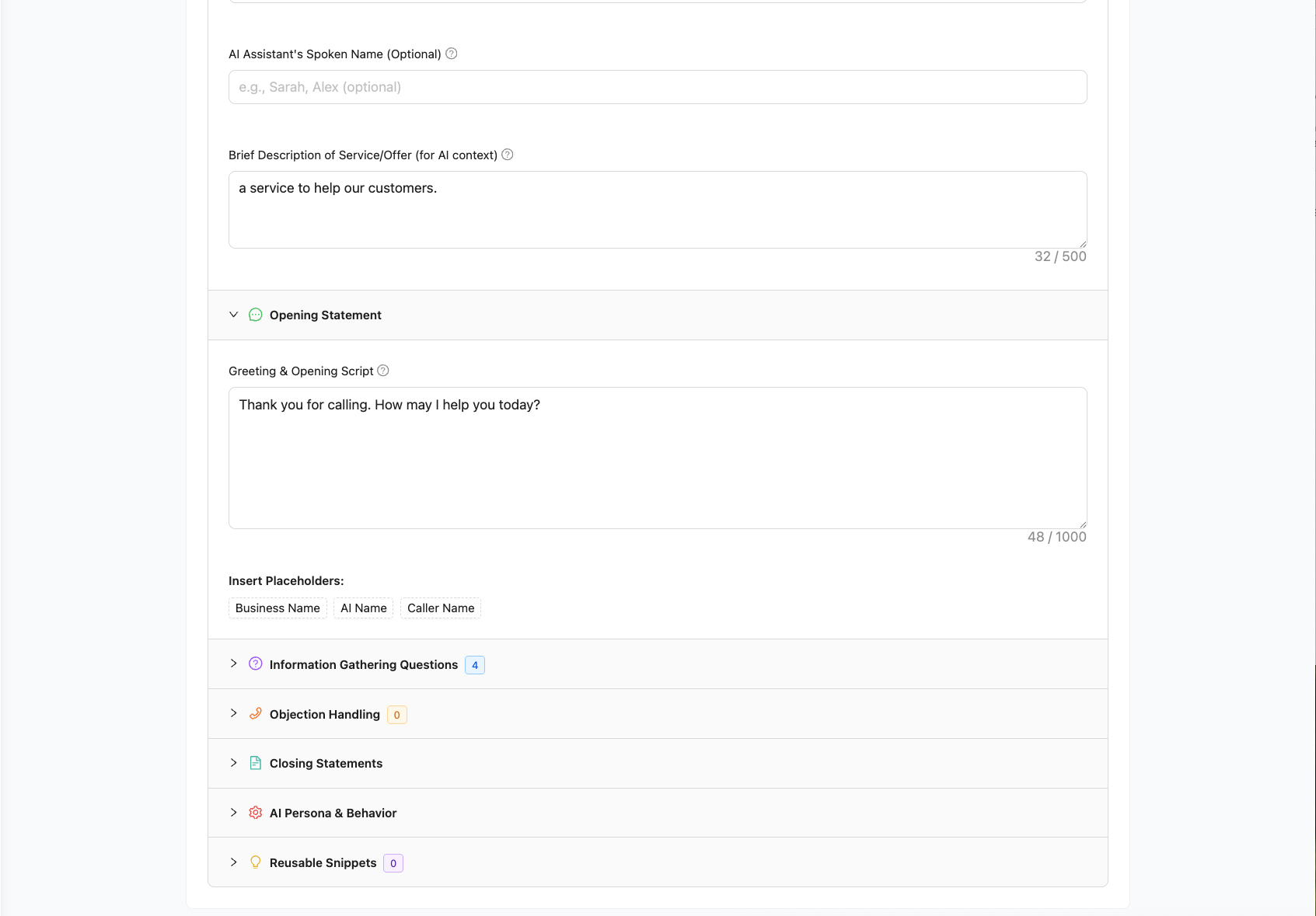
Setting up an AI receptionist to answer your calls is a powerful first step. But the real magic happens when you move beyond the default settings and start tailoring the conversation to your specific business goals. A well-designed script can dramatically increase the number of qualified appointments your AI books, turning your receptionist from a simple answering service into a high-performance conversion tool.
At Zenplus, we've built a powerful Conversation Designer that gives you full control over your AI's behavior. In this guide, we'll share five expert-level ways you can customize your script to maximize your booked appointments and grow your business.
1. Ask Smart Qualifying Questions Upfront
Not all leads are created equal. The fastest way to improve your booking quality is to ensure your AI is talking to the right people. Before jumping into scheduling, configure your AI to ask 2-3 essential qualifying questions.
Instead of just asking for a name and number, add questions like:
- For a Plumber: "Are you looking for an emergency repair or to schedule a new installation estimate?"
- For a Law Firm: "Are you seeking representation for a new matter?"
- For a Dental Office: "Are you a new or existing patient?"
This simple step ensures the AI gathers crucial context, allowing it to route the conversation appropriately and ensuring your team's time is spent on high-value appointments. Within the Zenplus script editor, you can add and reorder these questions in the "Information Gathering" section.
2. Create Powerful Objection Handlers
Even interested customers have hesitations. The most common reasons a booking fails are due to price, timing, or a simple lack of information. By anticipating these objections, you can equip your AI to handle them gracefully and keep the conversation moving toward a booking.
Go to the "Objection Handling" module in your Zenplus script and create handlers for common phrases:
- If they say "I need to think about it":
AI Response: "I understand completely. Just so you know, our estimate consultations are completely free and there's no obligation. It's a great way to get a clear picture of the project. Would a brief chat next week be helpful?" - If they ask "How much will it cost?":
AI Response: "That's a great question. Pricing can vary depending on the specific job. The best way to get you an accurate, no-surprise quote is to schedule a free, brief consultation. I can see we have some time available tomorrow morning, would that work?"
This turns a potential dead-end into a confirmed appointment.
3. Personalize the Opening Statement
The first five seconds of a call set the tone. A generic opening is fine, but a personalized one builds instant rapport. Go beyond the default and make your opening reflect your brand and current offers.
Consider adding a "Reusable Snippet" in your Zenplus settings called [current_offer] and update it monthly.
- Your Snippet: [current_offer] = "our 10% discount on all new installations this month."
- Your Opening Script: "Thank you for calling [company_name]. My name is Alex. Just so you know, we're currently offering [current_offer]. How can I help you today?"
This simple change immediately communicates value and gives the caller a compelling reason to engage.
4. Design a "Fallback" Path for Unsuccessful Bookings
Sometimes, even with the best script, a booking isn't possible—perhaps the caller's desired time is unavailable, or their request is outside your standard services. Don't let this be a dead end.
In the "Closing Statements" section of your script, customize the Message Taken Closing Script. Instead of a generic "Thanks for calling," make it an active promise:
"Okay, I wasn't able to find a time that matches your schedule right now, but I've taken down all your details. A member of our team will personally review this and give you a call back within the next few business hours to find a solution. Thank you for your patience!"
This turns a failed booking into a high-priority lead for your human team, ensuring the opportunity is never lost. The importance of a clear follow-up strategy is something that sales experts at resources like Sales Hacker consistently emphasize.
5. A/B Test Your Changes (The Pro Move)
How do you know which script is best? You test it. For our Zenplus Pro users running outbound campaigns, our platform supports advanced features that allow you to test different approaches.
Try creating two versions of a campaign script:
- Version A: A direct, concise opening.
- Version B: A slightly longer, more consultative opening.
Run the campaign and check your analytics. Which version has a higher booking rate? This data-driven approach allows you to continuously optimize your script, turning your AI receptionist into an increasingly efficient booking machine.
Build Your Perfect AI Receptionist
Ready to take full control and build an AI receptionist that perfectly matches your business needs? Sign up for a free trial of Zenplus and start customizing your path to more booked appointments today.